
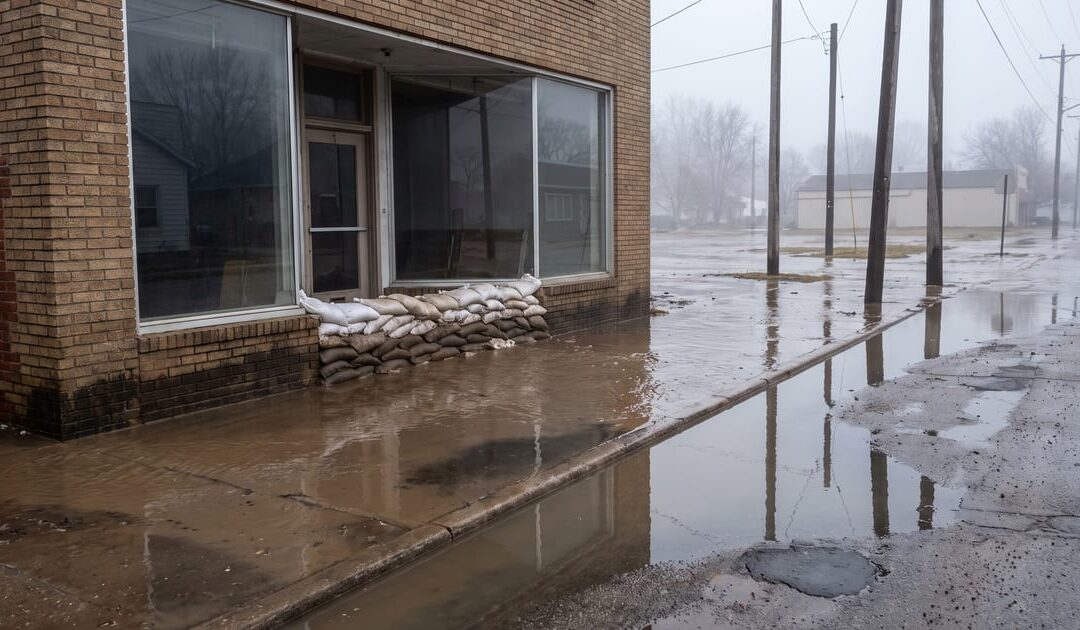
In August 2026, the White River rose to 18.64 feet, well above the 15-foot mark that the National Weather Service considers major flood stage. Delaware County’s Emergency Management Agency issued evacuation notices, roads closed, and the flooding disrupted homes and businesses across Muncie. Recovery work continued in the weeks that followed.
If your business was affected, or if you spent those days watching the water and wondering whether your building would be next, this article isn’t about second-guessing anything you did. Flooding like this is genuinely hard to plan around, and the people cleaning up deserve support, not a lecture. What we want to offer instead is a clear way to think about a question that this event put in front of a lot of local business owners: if your office became unreachable tomorrow because of a flood, fire, power outage, or anything else, could your business keep running?
That question has an answer, but getting there starts with separating two ideas that often get lumped together.
Two Different Problems: Getting Systems Back vs. Keeping the Business Running
Disaster recovery is about your technology. It’s the process of getting your servers, files, and systems working again after something breaks them, whether that’s a flood, a hardware failure, or a cyberattack. Disaster recovery answers the question, “How do we fix what’s broken?”
Business continuity is a bigger question. It’s about your people and operations, not just your servers. It asks, “How do we keep serving customers, paying employees, and bringing in revenue while the broken thing is still broken?”
A business can have excellent disaster recovery and still grind to a halt because nobody can log in from home, nobody knows who to call, or the phone system rings into an empty office. Recovery and continuity work together, but having one does not guarantee the other.
Reduce How Much You Depend on One Building
One useful lesson from August’s flooding is that a business should not depend entirely on one physical address. If your files, phone system, point-of-sale system, or scheduling tools all depend on hardware sitting in a single office, that office becomes a weak point. It doesn’t take a historic flood to expose the problem. A burst pipe, power outage, or blocked road can do it too.

This doesn’t mean every business needs to move everything to the cloud overnight. It means knowing, in plain terms, which parts of your operation would stop if that one building became unreachable, and deciding which of those need a backup path.
Make Sure Remote Access Actually Works, Not Just Exists
A lot of businesses technically have remote access set up. Fewer have tested whether it works well enough to run the business. There’s a real difference between “our team can technically log in from home” and “our team can process orders, answer customers, and get paid while working from home for a week.”
Secure remote access means your people can reach the tools they need safely from wherever they are, without exposing the business to new risks. That’s worth checking before you need it, not during an emergency.
Know Which Tools Keep the Business Moving
Not every system in your business is equally important in a crisis. Payroll has to run. The tools that take customer orders or payments have to run. Your team still needs a way to answer customers. Other work may be able to wait.
The important step is deciding ahead of time which two or three tools keep the business moving instead of discovering that during an emergency.
Plan How You’ll Talk to People When the Office Can’t
Communication tends to be the part everyone forgets until it’s the part that matters most. If your main phone number rings into a desk phone in a building nobody can reach, your customers hear silence. During a crisis, silence can make them wonder whether your business is operating at all.

Cloud-based phone systems can reroute calls to cell phones or another location, but only when that rerouting has been set up and tested beforehand. An unconfigured backup is not a backup.
The same goes for reaching your staff. If a flood or closure happens, how will you tell everyone where to go and what to do? Can you do it within 15 minutes?
About Backups
One more thing is worth saying plainly because it’s often misunderstood: keeping a copy of your data on a local server or network drive in your office is not the same as having a complete backup plan.
It’s not that onsite storage is bad. It’s that a copy kept only onsite can be damaged or made inaccessible by the same event that takes down your main systems. A flood that reaches your server closet may reach your backup drive too.
The fix is simple to describe: keep a protected backup somewhere other than your office, so the same flood, fire, or outage can’t take out both your systems and your backup at once.
A Simple Executive Checklist
You don’t need a 40-page continuity plan to make real progress. These three steps will move you further than almost anything else:
- Identify the three tools your business depends on most, and confirm your team can use them safely from outside the office.
- Establish a way to alert staff and customers within 15 minutes if your office becomes unreachable.
- Run a simple continuity and recovery exercise twice a year. Have your team practice working as if the office were closed so you find the gaps before a real event does.
Where to Go From Here
August’s flooding was a hard reminder that “it won’t happen to us” isn’t a plan. The good news is that closing the gap between where you are now and where you’d like to be doesn’t require a massive project. It usually starts with an honest look at what would happen if your office closed tomorrow.
If you would like a second set of eyes on that question, Hoola Managed IT offers a free 30-minute executive continuity assessment. We will talk through what is already working and where your business may have gaps. Contact us when you are ready, or call (765) 233-2338.